





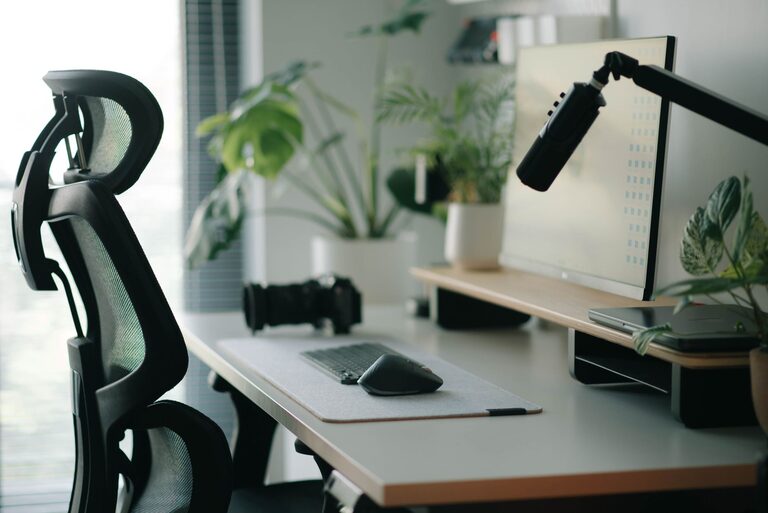
Creating a desk setup that promotes both focus and comfort can transform your workday. Whether you work from home or in an office, having the right environment is key to staying productive and avoiding discomfort or fatigue. In this post, we’ll explore practical tips to help you organize and arrange your desk for maximum efficiency and well-being.
Why a Good Desk Setup Matters
Your desk is more than just a place to set your computer and papers. It’s where you spend hours each day, and how your workspace is arranged affects your posture, concentration, and even mood. A well-designed setup reduces distractions, supports good ergonomics, and makes it easier to stay on task.
Choosing the Right Desk and Chair
Desk Height and Size
Start with a desk that suits your height and work needs. A standard desk height is around 28-30 inches, but if you’re taller or shorter, consider an adjustable desk. Sitting too high or low can cause strain in your neck, shoulders, and back.
Make sure your desk has enough surface area for your computer, accessories, and any documents you frequently use. Clutter can impair focus, so a desk with enough room to stay organized helps your workflow.
Ergonomic Chair
Invest in a comfortable chair that supports your spine’s natural curve. Look for adjustable features like seat height, backrest tilt, and armrests. Your feet should rest flat on the floor or on a footrest, and your knees should be at about a 90-degree angle.
Monitor Placement and Lighting
Position Your Monitor Correctly
Place your computer monitor directly in front of you, about an arm’s length away. The top of the screen should be at or just below eye level to avoid neck strain. If you use two monitors, arrange them so your primary monitor is centered in front of you and the secondary one is off to the side.
Use Natural and Task Lighting
Good lighting reduces eye strain and improves focus. Position your desk near a window to take advantage of natural light, but avoid glare on your screen. Use adjustable task lighting, such as a desk lamp, to brighten your workspace when natural light is insufficient.
Organizing Your Desk for Productivity
Declutter Regularly
A cluttered desk can distract you and make it harder to find what you need. Keep only essential items on your desk and store other materials in drawers or shelves. Declutter weekly to maintain a clean workspace.
Use Organizational Tools
Trays, file holders, and drawer organizers help keep documents and office supplies neatly arranged. Labeling can make it easier to find and return items quickly. Consider a cable management system to keep cords tidy and out of sight.
Adding Comfort with Accessories
Ergonomic Keyboard and Mouse
An ergonomic keyboard and mouse can prevent wrist strain and repetitive stress injuries. Look for split or angled keyboards and mice designed to fit your natural hand position.
Wrist Rests and Cushions
Using a wrist rest while typing or using a mouse offers extra support and reduces pressure on your wrists. Also, consider a seat cushion if your chair isn’t very comfortable.
Plants and Personal Touches
Adding a small plant to your desk can improve air quality and add a touch of nature, which may boost your mood. Personal touches like photos or artwork can make your workspace more inviting without overwhelming it.
Encouraging Movement and Breaks
Standing Desk Options
If possible, use a sit-stand desk to alternate between sitting and standing throughout the day. Changing positions helps reduce fatigue and improve circulation.
Reminders to Move
Set a timer or use an app to remind yourself to take short breaks. Stand up, stretch, or walk around briefly every hour to keep your body refreshed.
Final Thoughts
Creating a desk setup that enhances focus and comfort doesn’t require expensive equipment or a large space. By adjusting your chair and desk, organizing your workspace, and adding thoughtful accessories, you can build an environment that supports your productivity and well-being. Start with these tips and customize your setup to what works best for you. Your body and mind will thank you!




More Stories